Knowledge that gets used.
Bring approved documents, structured knowledge, and published runbooks into the next request.
See how it worksA GOOD PLACE FOR IT.
Bring your helpdesk, devices, and SI agents together.
A little less busywork. A lot more room to breathe.




Supporting 5,000+ people across multi-campus churches


 LyvnSuggested reply
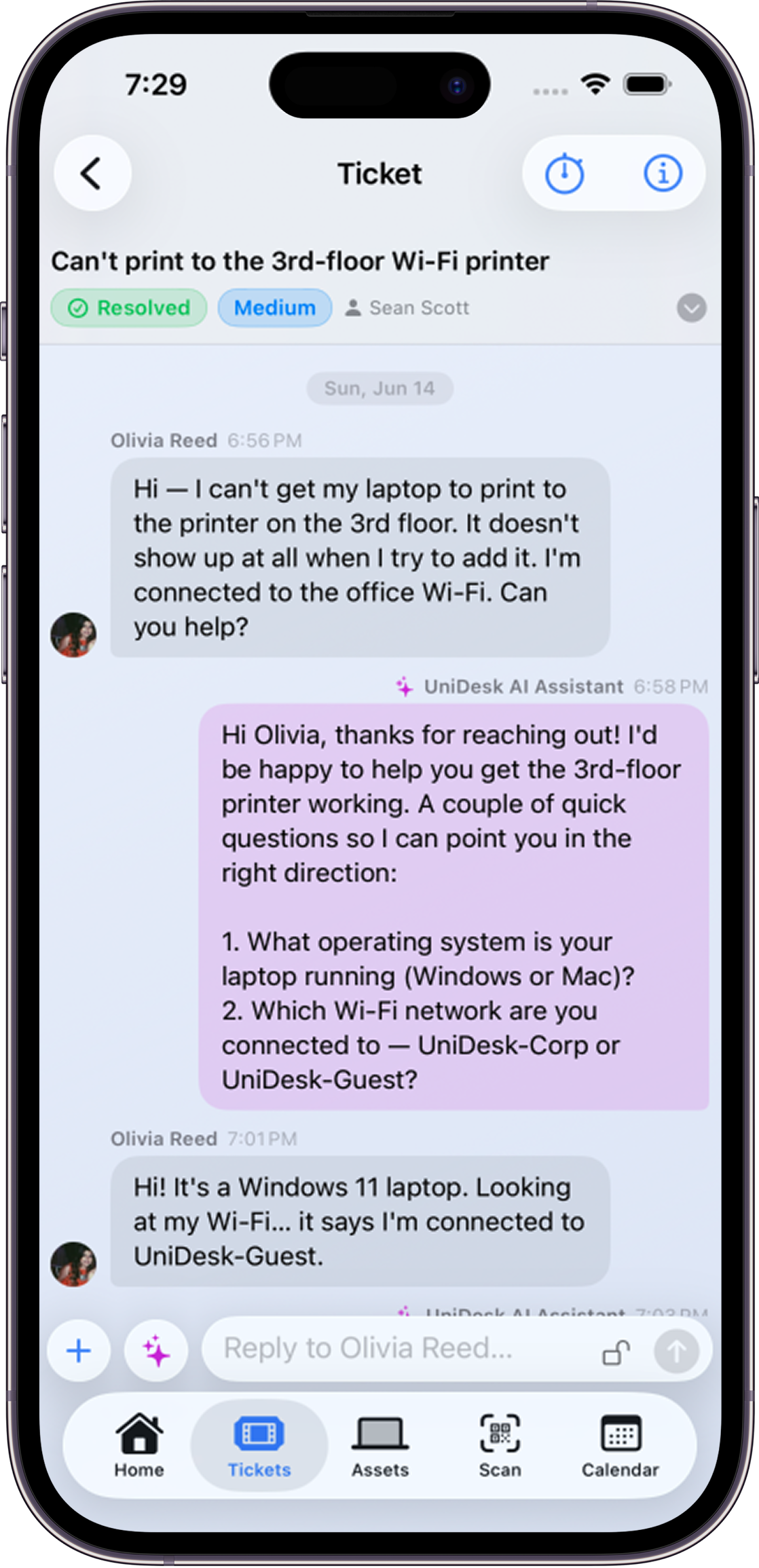
Your laptop is on Guest Wi-Fi. The printer is on the company network. Let’s get you connected to Corp first.
FAMILIAR TOOLS. NEW POSSIBILITIES.
ONE PLATFORM. THE WHOLE PICTURE.
From the first request to the final fix, one connected workspace.
Lyvn diagnoses the issue, finds the device, and brings in your team. Every action stays with the ticket.
Lyvn Marcus BellReply to Olivia, or ask Lyvn to take it…
Illustrative product view · Sample workspace and data
Bring approved documents, structured knowledge, and published runbooks into the next request.
See how it worksConnect triggers, conditions, actions, and approvals to keep routine work moving through your team.
WORKFLOW AUTOMATIONFollow ticket volume, resolution times, and SLA performance. Give your team a clear view of what needs attention.
REPORTING & INSIGHTSTHE KNOWLEDGE BEHIND THE NEXT FIX.
UniDesk finds relevant, approved company knowledge before preparing an answer. That’s retrieval-augmented generation, or RAG: your context, brought into the conversation.
Your company. Your permissions. Current sources.
Policies and guides → searchable passages
Reviewed facts, instructions, and ownership
Versioned procedures and expected results
Source versions and locations stay attached.
Applicable runbooks take priority for support replies.
Ranked for this request, product, and audience.
Version 3 · Step 1 · Network check
First, check that your device is connected to the company network. Tell me what you see, and we’ll take the next step.
The selected runbook and step stay with the ticket.
Documents are parsed into searchable passages without dropping the text between them. A document becomes ready only when its required passages are processed and indexed. Source versions and locations stay attached, so a citation can lead back to the evidence.
Under the hood, PostgreSQL full-text search and pgvector embeddings combine exact keyword matches with semantic similarity across approved knowledge and document passages. Results are merged and ranked, so differently worded problems can match while error codes, product names, and versions still matter. Company, permissions, applicability, and currentness checks narrow the evidence before it is used.
For support replies, an applicable, current published runbook takes priority over general reference material. UniDesk keeps the selected version and step with the ticket, so a follow-up continues the same procedure. The shared retrieval layer supplies evidence to admin answers, suggested replies, and autonomous support.
When enabled, eligible low-risk runbooks can send a diagnostic, advisory, or verification step, explain the expected result, and ask the requester to reply. For example, a VPN runbook can guide a connection check before moving to the next instruction. Failed or ambiguous replies, changed evidence, or a technician taking over stop automatic continuation. Your categories, review window, and daily limits still apply.
Outcome reporting separates drafts, approvals, sent and delivered replies, verification, and resolution. Reopened, reverted, failed, and escalated work stays visible. Break results down by issue class, runbook, or model, with sample sizes and confidence intervals, to see where automation is helping and where it needs attention.
WHAT COUNTS IS THE OUTCOME.
Approved knowledge supplies the context. Runbooks supply the next step. Your team handles the exceptions. Track resolution and reopened tickets alongside AI replies to see how much work is actually getting done.
See it on a ticketBUILT FOR THE PEOPLE BEHIND IT
Support your people, look after your equipment, and keep everyday work moving in one shared workspace.
Work across client companies with dedicated workspaces, organized requests, and the right context for each team.
YOUR WORKSPACE GOES WITH YOU
Pick up the conversation, check the asset, and move a request forward from your phone. The same workspace, wherever your work takes you.
Explore the mobile app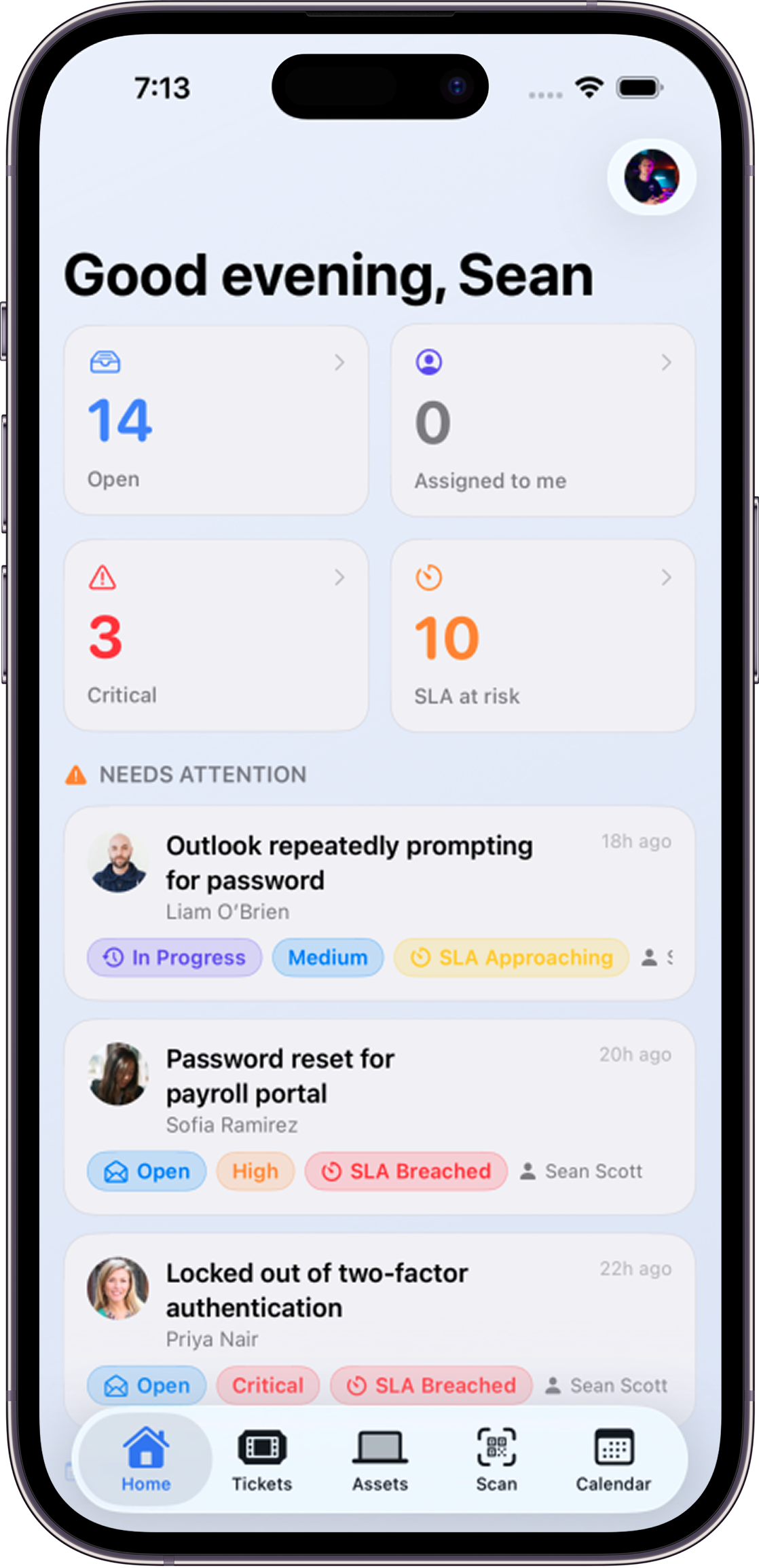
A GOOD BEGINNING.
Build at your own pace, bring in a specialist, or hand us the setup. There’s more than one way to get into flow.
Follow the guided setup, connect your tools, and bring your team along.
Specialist sessions and a configuration plan your admin can finish.
We prepare your workspace, help with migration, and train your team.
Guided Launch and Done for You are optional, one-time services billed separately from your subscription.
SIMPLE PLANS. ROOM TO GROW.
Unlimited admins and staff on every plan.
Choose the AI action and asset capacity you need.
Ticketing + KB + AI to get started.
Billed monthly
Get startedFor teams ready to scale automation.
Billed monthly
Get startedAdvanced automation and reporting.
Billed monthly
Get startedUniDesk brings helpdesk ticketing, asset inventory, remote device management, and AI agents into one workspace. It is built for internal IT teams and managed service providers who want the request, the person, the device, and the next step in one place.
AI agents can help answer and resolve tickets, and run supported actions through connected admin tools, such as resetting passwords or unlocking accounts in Microsoft 365 and Google Workspace. You choose the allowed categories, confidence threshold, review window, and daily limits. Autonomous sending and resolution are off until you enable them.
UniDesk uses retrieval-augmented generation (RAG) to find approved company knowledge before preparing an answer. Hybrid search combines meaning with exact keywords across structured knowledge and document passages, while company boundaries, permissions, and source currentness restrict the evidence. Applicable published runbooks take priority for support replies. When enabled, eligible low-risk runbooks can guide the requester one step at a time, asking for the result and stopping automatic continuation when the evidence changes or the conversation needs a technician. Reporting tracks delivered replies, verification, resolution, and reopened tickets separately.
No. Every plan includes unlimited admins and staff. Your subscription is based on the plan you choose, with included AI action and asset capacity. Starter is $249 per month, Growth is $449, and Scale is $799 on monthly billing. Annual billing is also available.
Yes. UniDesk supports company workspaces so managed service providers can organize support for different clients. Internal teams can bring their requests, assets, and people together in their own workspace.
Yes. You can follow the guided setup yourself, choose Guided Launch for specialist sessions and a configuration plan, or choose Done for You to have our team prepare the workspace and help with migration and training. Launch services are optional one-time purchases, separate from your subscription.
SEE WHAT CONNECTED IT CAN DO.